Every resident of the UAE has met the same frustration. You open a government website to renew a visa, check a traffic fine or download a document. The site asks for a username and password you set years ago. You cannot remember them. You reset the password, wait for a code, and start again. UAE Pass ends that cycle. It is the country’s national digital identity, and one verified account opens the door to government services across the UAE.
This guide explains UAE Pass from start to finish. You will learn what it is, how to set it up with your Emirates ID, how to log in to government services, how to sign documents digitally, and what to do when something goes wrong. The steps come from the official UAE Pass guidance and from current 2026 guides that track the app closely. App menus can change between versions, so treat the steps here as the standard path and check the official UAE Pass app for the latest screens. Registration is free, and most people finish it in a few minutes.
What Is UAE Pass and Why Does Every Resident Need It?
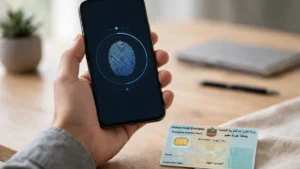
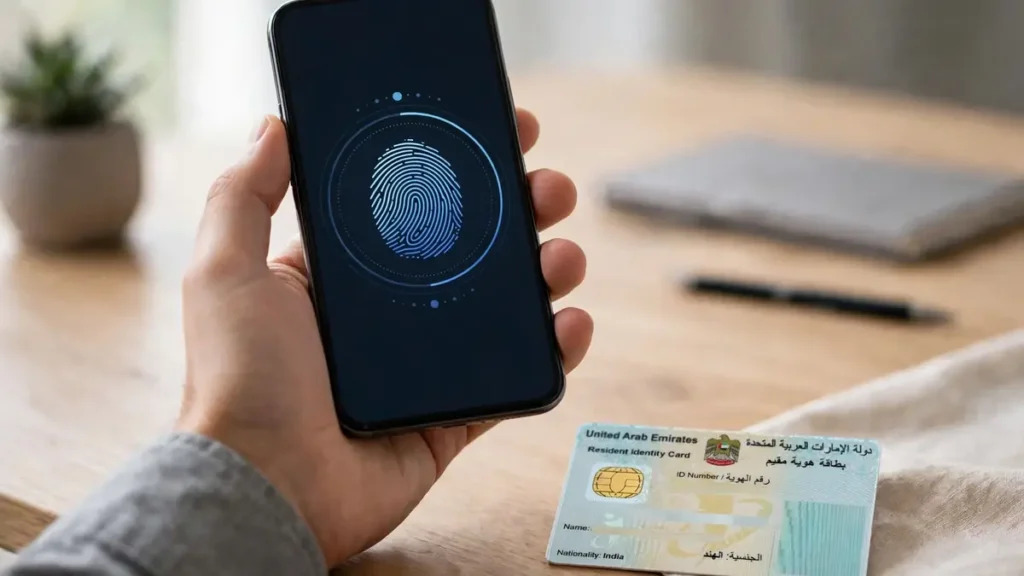
UAE Pass is the UAE national digital identity and digital signature system. It links to your Emirates ID and lets you prove who you are online with your smartphone. Instead of a different username and password for every government department, you verify yourself once and then use that single identity everywhere. You approve each login on your phone with your PIN or your fingerprint or face.
The system works as a single sign-on for government services. You choose the login with UAE Pass option on a government website or app. A request appears on your phone. You approve it with your PIN or biometrics, and you are in. There is no password to remember and no second account to create. The same identity also works with a growing number of private services, including banks and telecom operators, which accept UAE Pass for app sign-in.
What Does the Digital Signature Do?
UAE Pass also carries a legally recognised digital signature. That signature lets you sign certain official documents electronically without visiting a typing centre or a government office for that step. The signature carries legal weight under UAE electronic transactions law. Guides report that Federal Decree-Law No. 46 of 2021 gives these signatures weight equivalent to a handwritten signature for most purposes. For high-value documents, such as a property transfer, the other party may still ask for an in-person signature. Treat the app as the default rather than the rule for every case.
For most residents, UAE Pass has moved from a nice extra to a daily necessity. Government services across visa and residency, traffic and vehicles, labour, municipalities and more now expect it. The launch of Mira, the UAE AI government assistant unveiled on 23 November 2026, makes UAE Pass even more important. The Mira business demonstration at the launch integrated UAE Pass into the service, so your digital identity will sit at the centre of the next generation of government services too. If you have not set it up yet, now is the right time.
What Do You Need Before You Start?
Setting up UAE Pass takes little preparation, but a short checklist saves time. First, you need your physical Emirates ID card. The app scans the card to read your details, so keep it beside you. Second, you need a smartphone with a camera. The app runs a live face scan, and the camera must work well in good light. Third, you need a working UAE mobile number and an email address. The system sends one-time codes to both during setup, so use a number and an email you can access right away.
Your mobile number matters more than most people realise. The app sends the verification code to the number registered with ICP, the Federal Authority for Identity, Citizenship, Customs and Port Security. If you changed your number since you received your Emirates ID and never updated it with ICP, the code may go to your old number. In that case, update your number with ICP first, then start the UAE Pass setup. A few minutes spent on that step now saves a failed registration later.
You should also know your Emirates ID number and your date of birth. The app can scan the card and fill in most details for you. If the scan fails, you can type the number and date of birth by hand. Finally, pick a quiet, well-lit spot for the face scan. Bright, even light on your face makes the scan pass on the first try. Sunglasses, hats and poor light cause most failures, and the fixes are simple once you know them.
How Do You Set Up UAE Pass Step by Step?
The setup follows six clear steps. Most people finish all six in a few minutes, and the account becomes active as soon as the face scan passes. There is no waiting period and no manual approval step for a standard registration. Work through the steps in order, and do not skip the PIN or the face scan. Both protect your account every time you log in or sign a document later.
How Do You Download the App and Create Your Account?
Start by downloading the official UAE Pass app from the Apple App Store or Google Play Store. The app is free. Check the publisher name before you install it. The official app comes from the UAE Government, and look-alike apps appear from time to time. If the publisher looks wrong, do not install it. Search for UAE Pass again from the official store listing.
Open the app and accept the terms and conditions. Next, choose your user type. Pick Citizen or Resident if you hold an Emirates ID. Pick Visitor if you are registering with a passport only. The choice matters, because verified accounts are currently only available to Emirates ID holders. Visitors can create a basic account, but they cannot reach the verified level without an Emirates ID.
Then scan your Emirates ID. Tap the scan option and hold your card in front of your phone camera. Some phones also let you tap the card on the back of the phone, if your card and phone support it. If the scan does not work, type your Emirates ID number and date of birth by hand. The app checks the details against ICP records, so type them exactly as they appear on the card.
How Do You Confirm Your Mobile Number and Email?
After the ID step, the app asks for your mobile number and email address. Type both carefully. The app then sends a one-time password to your phone and another code to your email. Type each code into the app to confirm that the number and the email belong to you. The codes expire quickly, so keep your phone beside you and check your inbox at once.
If a code does not arrive, check three things. First, confirm that you typed the number and email correctly. Second, look in your spam or junk folder for the email code. Third, wait a minute and ask the app to resend the code. Mobile networks can delay a message by a short time. If the code still does not arrive after two tries, restart the app and begin the step again. The details you entered earlier stay saved.
How Do You Set Your PIN and Finish Face Verification?
Next, create a PIN for your account. Most guides describe a six-digit PIN, and the app will show you the length it expects on screen. Choose numbers you can remember but others cannot guess. Avoid birthdays, repeated digits and simple sequences. You will use this PIN every time you approve a login or a signature, so pick one you can type quickly and safely.
The final step is face verification. The app runs a live facial scan and matches it against the biometric photo that ICP holds from your Emirates ID application. Hold the phone at eye level, look at the camera and follow the on-screen prompts. The scan itself usually takes about ten seconds. Good light and a steady hand make the difference between a first-time pass and a retry.
Once the scan passes, your UAE Pass account is active at once. Turn on biometric login, such as Face ID or fingerprint, for faster and safer access in future. From here on, your phone, your PIN and your face form the three parts of your digital identity. Keep all three safe, and never share your PIN with anyone.
What Is the Difference Between a Basic and a Verified Account?
UAE Pass has two levels of account, and the difference explains most messages that say a service is not available. A basic account comes from registering in the app, with or without an Emirates ID. It opens a limited set of services that the provider accepts for basic accounts. A verified account comes from verifying a basic account with your Emirates ID and face. It opens the full range of government and partner services, plus digital signing.
The table below sums up the two levels in plain terms. Use it to check which level you hold and what you can do with it.
- Basic account: register in the app, with or without an Emirates ID. Limited services only. No digital signing.
- Verified account: verify a basic account with your Emirates ID and face scan. Full range of government and partner services. Digital signing included.
Most problems with UAE Pass come from holding a basic account and expecting verified services. If a government portal refuses your login or hides a service, check your account level first. Open the app, look at your profile and confirm that it shows verified status. If it shows basic, run the verification step with your Emirates ID and face scan. The upgrade takes minutes, and it unlocks the services you need.
How Do You Use UAE Pass to Log In to Government Services?
Logging in with UAE Pass is simpler than the setup. Open the government website or app you need, and look for the login with UAE Pass button. Tap it, and a request appears on your phone at once. Open the UAE Pass app, review the request and approve it with your PIN or biometrics. The website then logs you in without a password.
Which Government Services Accept UAE Pass?
The same flow works across federal and local government services. Visa and residency services, traffic and vehicle services, labour services and many municipality services all accept UAE Pass as their login. The list grows over time, and new services join the system each year. If a portal still uses its own username and password, it will usually show the UAE Pass button beside the old login. Use the UAE Pass button whenever you see it, because it keeps your access in one place.
A practical example helps. A resident renewing a family visa used to juggle a portal login, an email code and a separate payment login. With UAE Pass, the resident opens the service, approves the login on the phone and moves straight to the task. A medical fitness test for a Dubai visa still needs a clinic visit in person, but the booking and the result check can run through services that accept UAE Pass. The same pattern applies to labour services. Our guide to checking a MOHRE enquiry status online explains the current system, and UAE Pass is the login that opens it.
Does UAE Pass Work Beyond Government?
UAE Pass also works beyond government. A growing number of banks and telecom operators accept it for app sign-in, and the list includes services where proving your identity matters, such as opening an account or updating your details. When you open a bank account or apply for a service that runs a credit check, the bank may ask you to verify your identity first. Our guide to how to check your credit score in the UAE explains what lenders look at, and UAE Pass is often the login that starts that process.
One account can work on up to ten devices, according to current guides. That limit matters for people who use a phone and a tablet, or who replace a phone during the year. If you reach the limit, remove an old device from the app before adding a new one. Never approve a login request you did not start. If a request appears on your phone and you did not ask for it, reject it at once and change your PIN.
How Do You Sign Documents With UAE Pass?
Digital signing is one of the most useful features of UAE Pass, and one of the least understood. Instead of printing a form, signing it by hand and scanning it back, you can sign inside the app. The signature is legally recognised, and the person who receives the document can verify it. That verification protects both sides against forgery.
The signing flow follows five simple steps. First, open the UAE Pass app or website and choose the option to sign a document. Second, upload the PDF you need to sign, or open the document a service provider has sent you. Third, review the document carefully before signing. Read the full text, check the names, dates and amounts, and confirm that every detail is correct. Fourth, place your signature where it belongs in the document. Fifth, confirm the signature with your PIN or biometrics. The app then produces a signed copy you can download or share.
That review step deserves emphasis. A digital signature carries the same weight as a handwritten one for most purposes, so signing a document you have not read can bind you to terms you never agreed to. Take the time to read the document. If a clause looks wrong, stop and ask the sender to fix it before you sign. A signature given in haste is hard to undo.
Common uses for digital signing include tenancy contracts, employment letters, service agreements and government forms. Freelancers sign client contracts with it, and small business owners sign supplier agreements. If you work for yourself in the UAE, the signature saves trips to a typing centre for routine paperwork. Our guide to the freelance visa in Dubai explains how independent workers set up legally, and UAE Pass signing fits naturally into that way of working.
When Should You Not Use a Digital Signature?
Not every document suits a digital signature. High-value transactions, such as a property transfer, may still need an in-person signature or a visit to a notary. The other party can also ask for a wet signature if their own rules require it. When in doubt, ask the receiving party whether they accept a UAE Pass signature before you sign. That single question prevents a rejected document and a wasted trip.
What Can You Do With UAE Pass Day to Day?
Once your account is verified, UAE Pass quietly handles a large part of your official life. The most common daily use is logging in. Visa and residency tasks, traffic services, labour services and municipality services all open with the same approval on your phone. You no longer keep a notebook of portal passwords or reset a login every few months. One identity covers them all, and your phone stays the key.
Traffic services show how useful that single login can be. You can check fines, renew a vehicle registration and update your licence details through portals that accept UAE Pass. The rules behind those services change from time to time, and our guide to UAE traffic rules for 2027 explains what drivers need to know. The login step stays the same. Open the service, approve the request on your phone and carry on with the task.
How Does UAE Pass Help With Travel and Documents?
Travel and transport services also connect to the same identity. Public transport cards, parking services and travel documents increasingly accept UAE Pass as the way to prove who you are. Dubai residents who use the metro and buses can manage their travel cards through apps that link to their digital identity. Our guide to the Dubai nol Jaywan card explains how the city travel card works, and UAE Pass is the login many residents use to manage it.
Document services form the next group. You can request official letters, download certificates and track applications through portals that accept UAE Pass. Residents who need a passport service for a family member, such as a renewal or a new application, start with the same login. Our guide to the Pakistan e-passport in the UAE explains one such process for Pakistani nationals, and the UAE Pass login is the step that proves the applicant identity before the application moves forward.
How Do Business Owners Use UAE Pass?
Business owners use UAE Pass for company tasks too. Trade licence services, labour services and government payments for a business all accept the same identity. A company owner can approve a login for a licence renewal in the morning and sign a supplier contract in the afternoon, using the same PIN and the same face. The Mira business demonstration at the launch in November 2026 showed exactly this pattern, with UAE Pass built into the flow for finding expiring permits and starting renewals.
Over time, expect the list to grow. Each year brings more federal and local services into the system, and more banks and telecom operators accept the login. The practical rule is simple. Whenever a UAE website or app offers the login with UAE Pass button, use it. Each login through UAE Pass keeps your access in one place and reduces the number of passwords you must manage.
What Do You Do If UAE Pass Stops Working?
Most UAE Pass problems have simple causes and simple fixes. The app itself rarely breaks. A failed face scan, a changed phone number, a forgotten PIN or a basic account level explains almost every complaint. Work through the fixes below in order, and try the simplest one first. If none of them work, the UAE Pass support line can help. Current guides list the support number as 600 56 1111, and the app also lists contact options in its help section.
What If Face Verification Keeps Failing?
Face verification fails most often because of light. Move to a bright room with even light on your face, and face a window if you can. Avoid strong light behind you, because it turns your face into a shadow. Remove sunglasses, hats and anything that covers your face. Hold the phone steady at eye level, and keep your face inside the frame the app shows you.
If the scan still fails after two tries in good light, try again later rather than repeating it ten times in a row. Repeated failures can lock the step for a short time. Clean your front camera lens, because a smudged lens blurs the scan. Make sure the phone software is up to date, and update the UAE Pass app to the latest version from the store. An old app version can fail against current server checks.
When the in-app scan keeps failing, visit a UAE Pass kiosk in person with your Emirates ID. Current guides report more than 300 kiosks across the UAE, placed in malls, government service centres and public buildings. Staff at the kiosk can verify your identity and complete the step for you. Bring your Emirates ID card and your phone. The visit usually takes a few minutes.
What If You Lose Your Phone or Change Your Number?
Losing your phone feels serious, but your UAE Pass account stays safe if you act quickly. Install the app on a replacement device and re-verify with your Emirates ID and face scan. Your account links to your identity, not to the lost phone, so the re-verification restores your access. If someone else holds your old phone, change your PIN as soon as you regain access. The old phone cannot approve logins without your PIN or your face.
Changing your mobile number needs more care. The app sends verification codes to the number registered with ICP, so update that number with ICP first. Visit an ICP service centre or use the ICP app to change the registered number. Then update the number inside the UAE Pass app and confirm it with the new code. Do the ICP update before the UAE Pass update, or the code will keep going to the old number.
For urgent help after losing a phone, contact UAE Pass support. Current guides list the support line as 600 56 1111. Keep that number saved somewhere other than your phone, such as in your email or on a card at home. A number stored only on a lost phone is no help when the phone is gone.
What If You Forget Your PIN?
A forgotten PIN is easy to fix, and the app guides you through it. Open the UAE Pass app and choose the forgot PIN option. The app will ask you to verify your identity again, usually with a face scan and a code sent to your registered mobile number. Once the check passes, you can set a new PIN at once. Pick numbers you can remember, and avoid birthdays and simple sequences.
Never write your PIN on a note kept with your phone, and never share it with anyone who calls or messages you. UAE Pass support will never ask for your PIN. A caller who asks for it is not from UAE Pass, whatever they claim. End the call, and report the number if the app offers a reporting option. The same rule applies to one-time codes. A code sent to your phone belongs to you alone.
How Do You Keep Your UAE Pass Account Safe?
UAE Pass holds the keys to your official life, so treat it with the same care you give your bank card. Your PIN is the first line of defence. Choose a PIN that others cannot guess, and never share it with family, friends or colleagues. No official will ever ask for it. If someone does ask, refuse and report them.
Biometric login is the second line of defence. Turn on Face ID or fingerprint login in the app, and keep your phone lock screen active with a strong passcode. A phone without a lock screen gives anyone who picks it up a path to your accounts. Update your phone software and the UAE Pass app whenever a new version appears. Updates close security gaps and fix verification problems.
Watch every login request that appears on your phone. Approve only the requests you started yourself. If a request appears while you are not logging in anywhere, reject it at once. Then open the app, check your recent activity and change your PIN. A request you did not start may mean someone else has your details and is testing them. Quick action stops the attempt before it succeeds.
Finally, download the app only from the official Apple App Store or Google Play Store, and check the publisher name every time. Fake apps that copy the UAE Pass name and logo appear from time to time. They steal the details you type into them. If an app asks for your Emirates ID details outside the official app, stop and check the publisher before you continue. When in doubt, delete the app and install it again from the official store.
How Does UAE Pass Fit With Mira and the Future of UAE Services?
UAE Pass is not a side project. It is the foundation that the next generation of UAE government services stands on. The launch of Mira on 23 November 2026 made that clear. Mira, the UAE Government Concierge Agent, carries out transactions in one conversation, from passport renewals to doctor appointments. The business demonstration at the launch integrated UAE Pass into the flow, because Mira needs a trusted way to know who it serves before it can act for them.
That link will only grow stronger. Mira starts its public rollout in March 2027, with more services added in phases and all government services due on the platform before the end of 2027. Each of those services will need to confirm the user identity before it renews a document, books an appointment or pays a fee. UAE Pass provides that confirmation today, and it will keep providing it as Mira grows. Residents who set up UAE Pass now will step into Mira in March 2027 with their identity already ready.
The wider direction is simple to see. The UAE introduced electronic government services in 2001, moved to Smart Government in 2013 and adopted a national strategy for government services in 2021. UAE Pass turned that history into a single identity in your pocket. Mira turns it into a conversation. Each step removes friction from the last one, and each step depends on the one before it. Your digital identity is the thread that runs through all of them.
What Should You Do Before Mira Opens?
For residents, the practical message is clear. Set up UAE Pass now, verify it fully and keep it safe. Learn the login flow, try a digital signature on a low-risk document and sort out any problem while you have time. When Mira opens in March 2027, you will not need to learn a new identity system. You will simply talk to an assistant that already knows who you are, because UAE Pass told it.
Frequently Asked Questions About UAE Pass?
Is UAE Pass free?
Yes, the UAE Pass app is free to download and free to use. Registration, verification, logins and digital signing carry no fee from UAE Pass itself. Government services you access through it may charge their own service fees, and those fees belong to the service, not to the app.
How long does it take to set up UAE Pass?
Most people finish the setup in a few minutes. Download the app, scan your Emirates ID, confirm your mobile number and email with the codes, set a PIN and pass the face scan. The account becomes active as soon as the face scan passes, and the scan itself usually takes about ten seconds.
Do I need an Emirates ID to use UAE Pass?
You need an Emirates ID for a verified account, which opens the full range of services and digital signing. Visitors can create a basic account with a passport, but the basic account opens only a limited set of services. Verified accounts are currently only available to Emirates ID holders.
Can I use UAE Pass on more than one device?
Yes, one account can work on up to ten devices, according to current guides. Install the app on the new device and re-verify with your Emirates ID and face scan. If you reach the limit, remove an old device from the app before adding a new one.
What should I do if my face verification keeps failing?
Move to a bright room with even light on your face, remove sunglasses and hats, clean your front camera lens and hold the phone steady at eye level. Update the app to the latest version and try again. If the scan still fails, visit a UAE Pass kiosk in person with your Emirates ID, where staff can verify you directly.
Is a UAE Pass digital signature legally valid?
Yes, the signature carries legal weight under UAE electronic transactions law, and guides report that Federal Decree-Law No. 46 of 2021 gives it weight equivalent to a handwritten signature for most purposes. The person who receives the document can verify the signature. High-value transactions may still need an in-person signature, so check with the receiving party first.
What should I do if I lose my phone?
Install the app on a replacement device and re-verify with your Emirates ID and face scan. Your account links to your identity, not to the lost phone. Change your PIN as soon as you regain access. For urgent help, current guides list the UAE Pass support line as 600 56 1111.
Does UAE Pass replace my Emirates ID card?
No, UAE Pass is a digital identity for online services, and it works alongside your physical Emirates ID card. Keep the card safe, because you still need it for in-person checks, travel and any service that asks to see the physical card.